
Courier: from the parcel picked up to the money paid to the merchant
For delivery companies: merchants and their rates, shipments one by one or from Excel, labels with barcode and QR, smart route planning on OpenStreetMap that shares the parcels between drivers by the shortest route, the driver app with signature, photo and location, and cash on delivery settled with the merchant on a tax invoice.
SAR 1,500 a month, or SAR 15,000 a year (two months free) · before VAT · Prices in your country
An add-on switched on for your subscription. Contact us to switch it on. The step-by-step guide is in the Help Center (Arabic).
- Shipments & labels
- Route planning
- Driver app
- COD & settlement
Click any screen behind to bring it to the front.
Every parcel with a number, a label and tracking
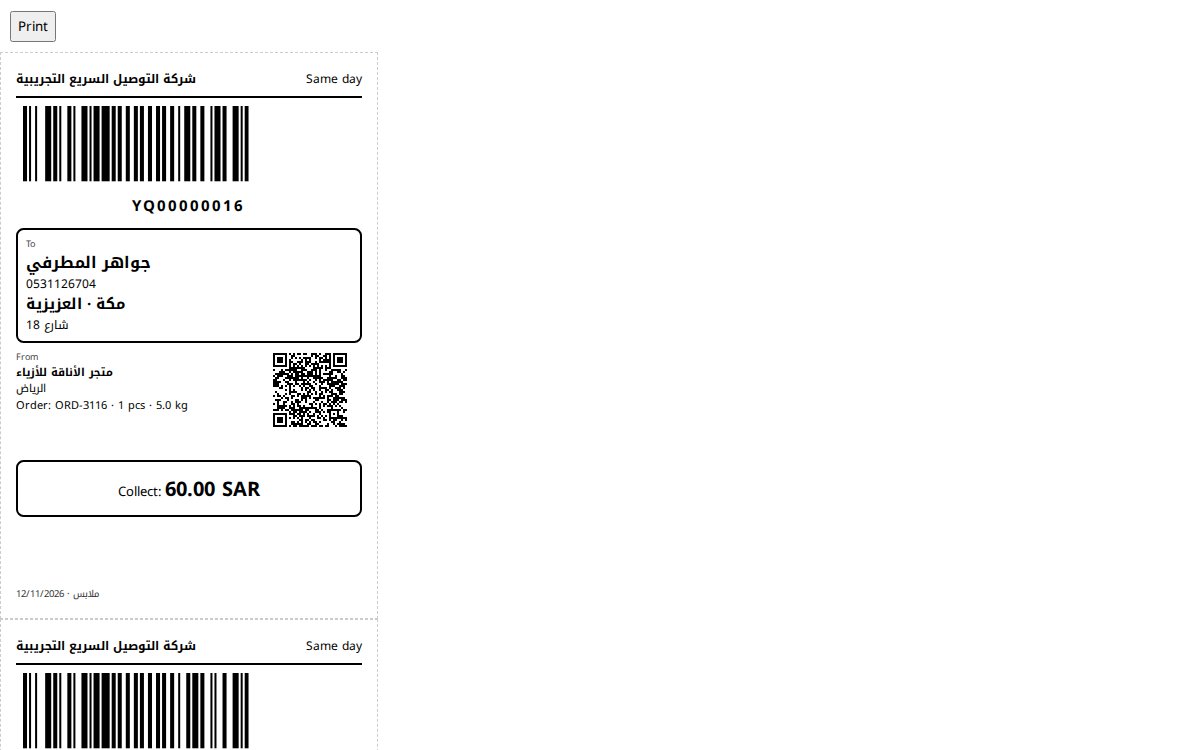
Create shipments by hand or import hundreds from an Excel file, print A6 labels with a barcode and a QR code, and scan them at the hub on the way in and out. Each shipment has a tracking page sent to the customer on WhatsApp.
- Import from Excel
- A6 labels with barcode and QR
- Scan station at the hub
A smart route for every driver, on the map
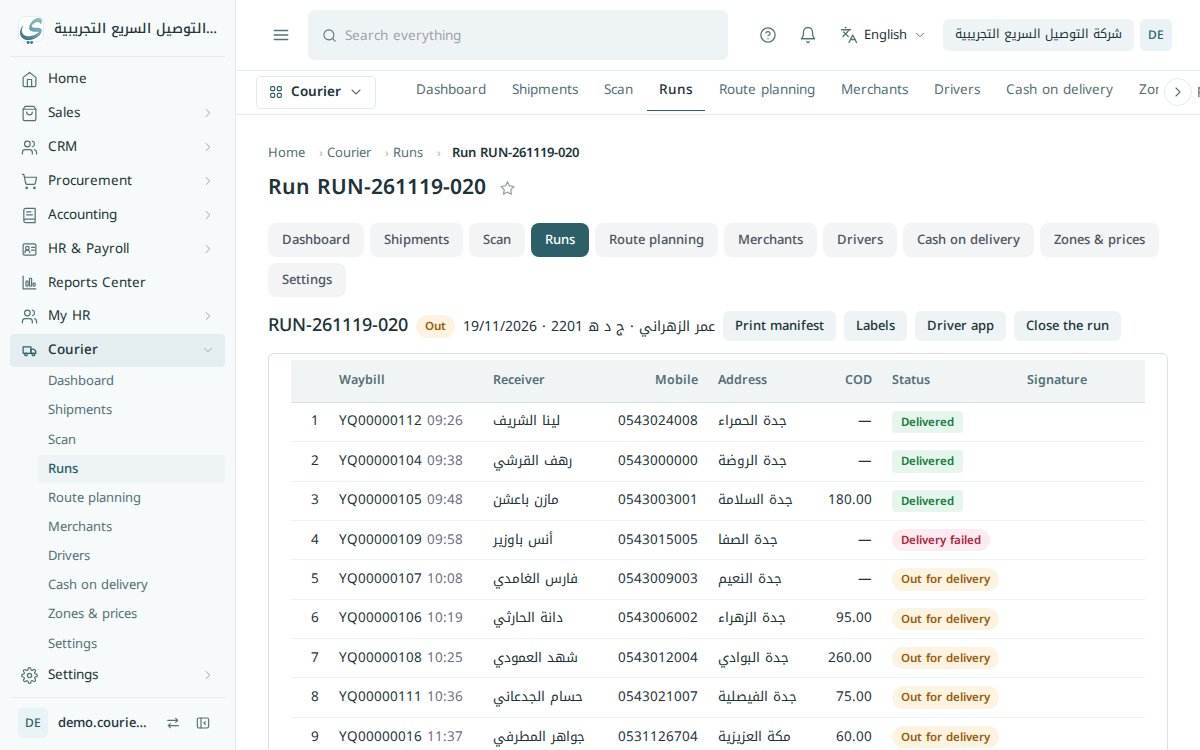
Yaqin shares the parcels ready at the hub between drivers (10 each, for example) and orders the stops for the shortest, cheapest trip, on OpenStreetMap maps hosted on our own server, no Google, with the route ending back at the hub.
- Parcels shared between drivers
- Stops in the shortest order
- Distance, time and cost per run
The route and the stops on the driver's phone
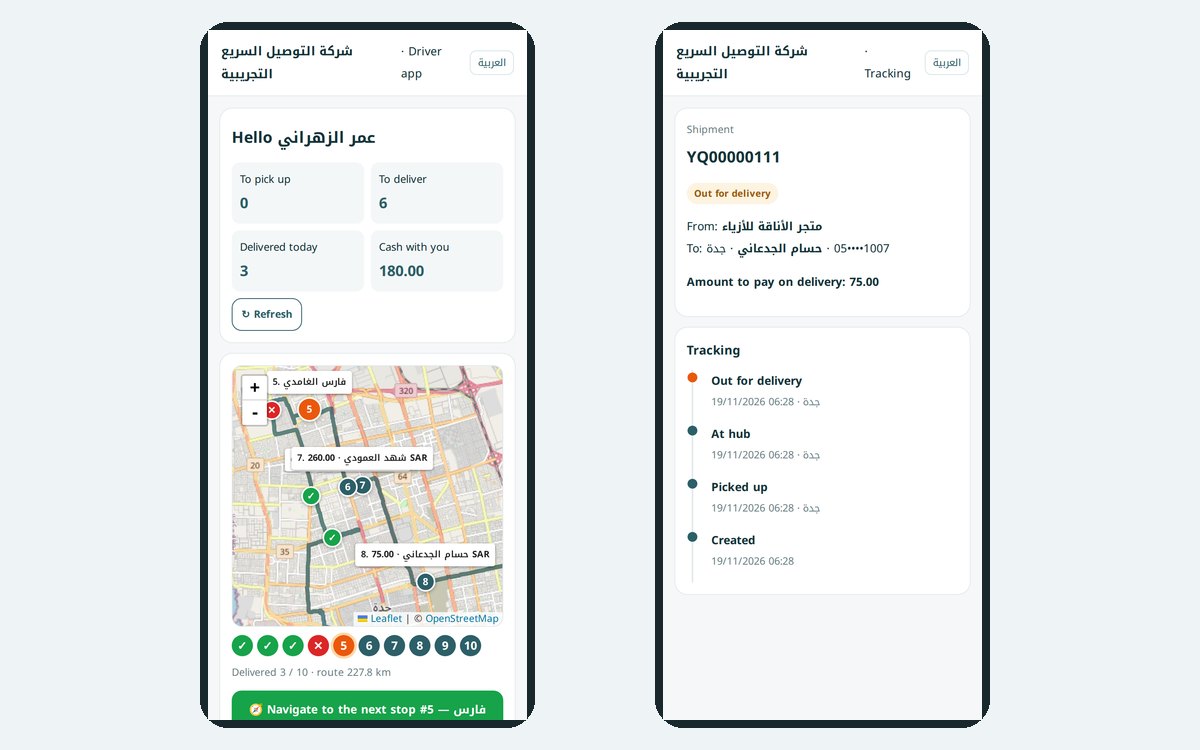
The driver sees the run on a map with numbered stops, calls the customer or messages on WhatsApp, delivers with signature, photo and location, or records a failed delivery with the reason. The customer follows the parcel from the tracking link.
- Navigate to the next stop
- Proof of delivery: signature and photo
- Tracking link for the customer
Cash from the driver to the merchant, with the right entries
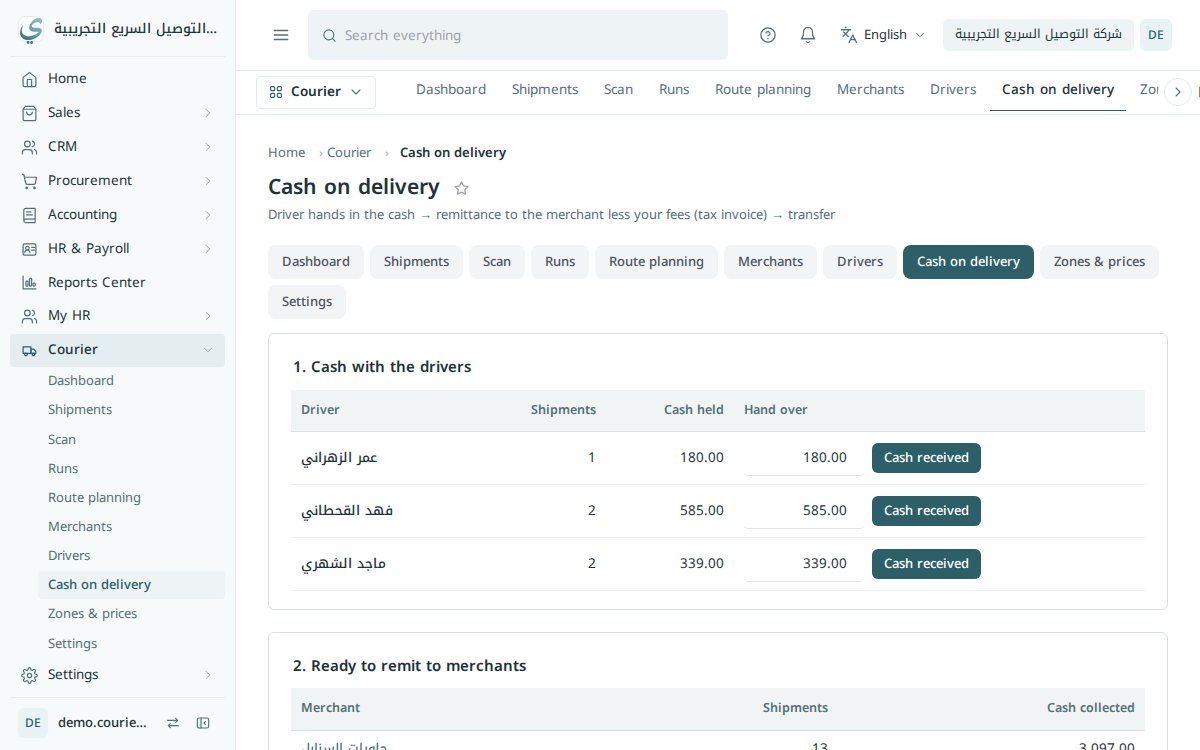
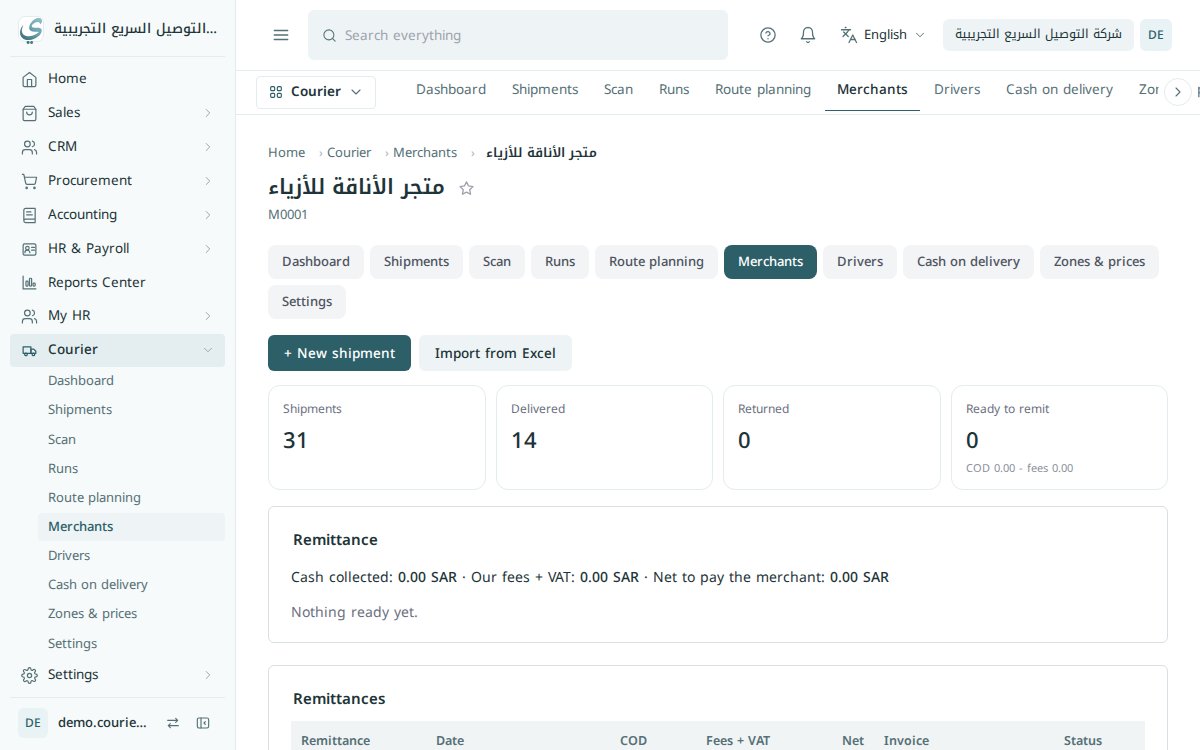
Receive the cash from each driver at the end of the day, then settle with the merchant: a tax invoice for the delivery fees and the net amount collected paid out. Each step posts its own entry.
- Cash received from drivers
- Fee invoice to the merchant
- Net amount paid out
A portal for each merchant, prices by zone
Each merchant has a rate card by zone and weight, with COD and return fees, and a portal to see their parcels and add new ones. And a phone app in your company's name and logo for drivers and merchants.
- Prices by zone and weight
- Merchant portal
- An app in your own name
From merchant back to merchant
Every parcel goes through the same steps and reaches the accounts on its own.
- 1ShipmentFrom the merchant or Excel
- 2Pick-upFrom the merchant
- 3HubLabel scanned
- 4Route planPer driver
- 5Out for deliveryOn the map
- 6DeliveredSignature and photo
- 7CashFrom the driver
- 8SettlementWith the merchant
Running a delivery company?
Courier is an add-on switched on for your subscription. Write to us and we will show you the solution and the price.