
Contracting: your projects, progress claims and subcontractors
Projects and bills of quantities, progress claims and retentions, subcontractors and the cost of each project, in the same system that runs your accounts, purchasing and stock.
A gold solution added to your subscription. Contact us to switch it on and for a quote.
- Projects
- Progress claims
- Subcontractors
- Project cost
Click any screen behind to bring it to the front.
Every project on one screen
Contract values and the status of every project on one screen, so you know where each project stands without gathering figures from several files.
- Every project on one screen
- Contract value for each project
- The status of each project
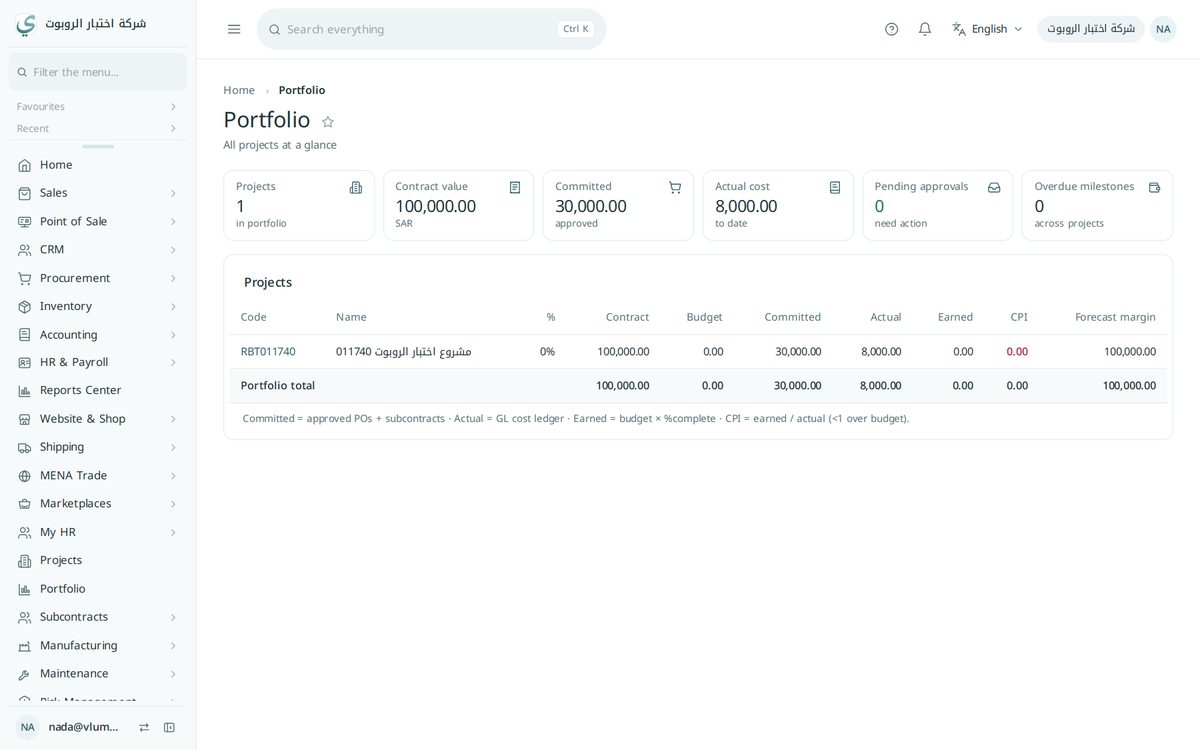
Each project and its bill of quantities in one place
Each project with its items and bill of quantities, from which claims are raised and progress is measured.
- Projects and bills of quantities
- Progress claims and retentions
- Progress tracking
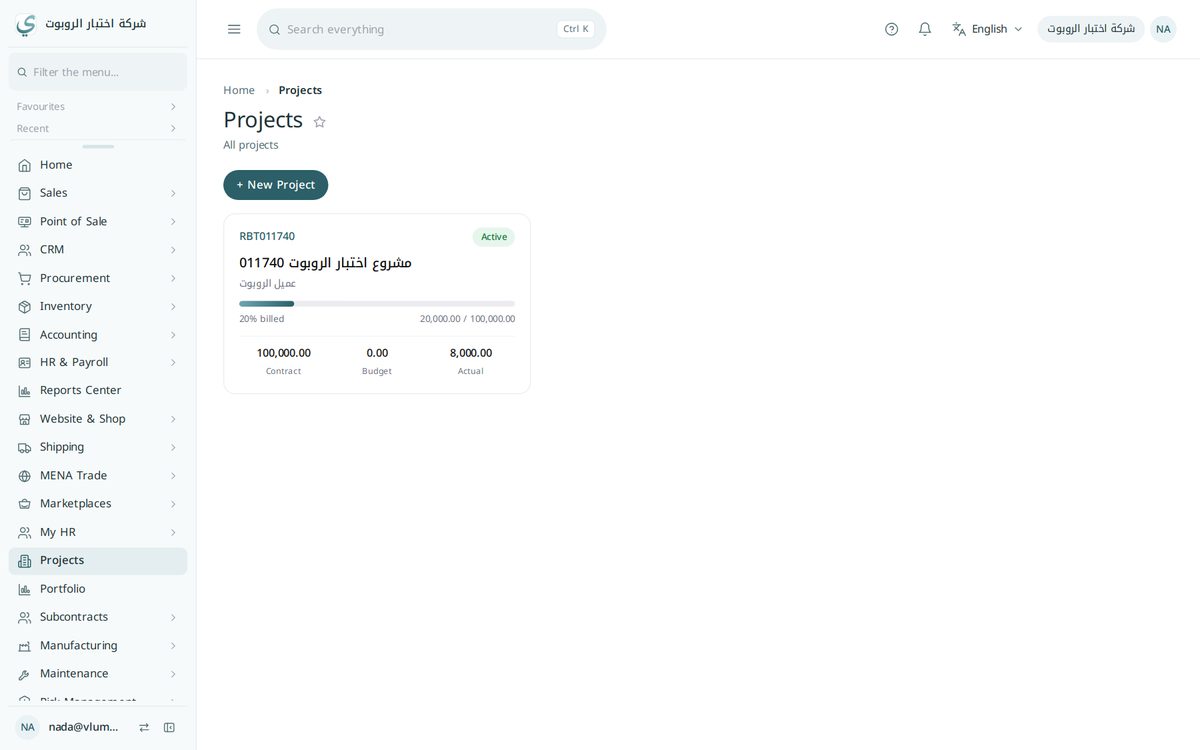
Contracts and claims for each subcontractor
Each subcontractor’s contract, claims and payments are linked to the project, so they show in its cost and in the supplier account.
- Subcontractor contracts
- Subcontractor claims
- Linked to the project cost
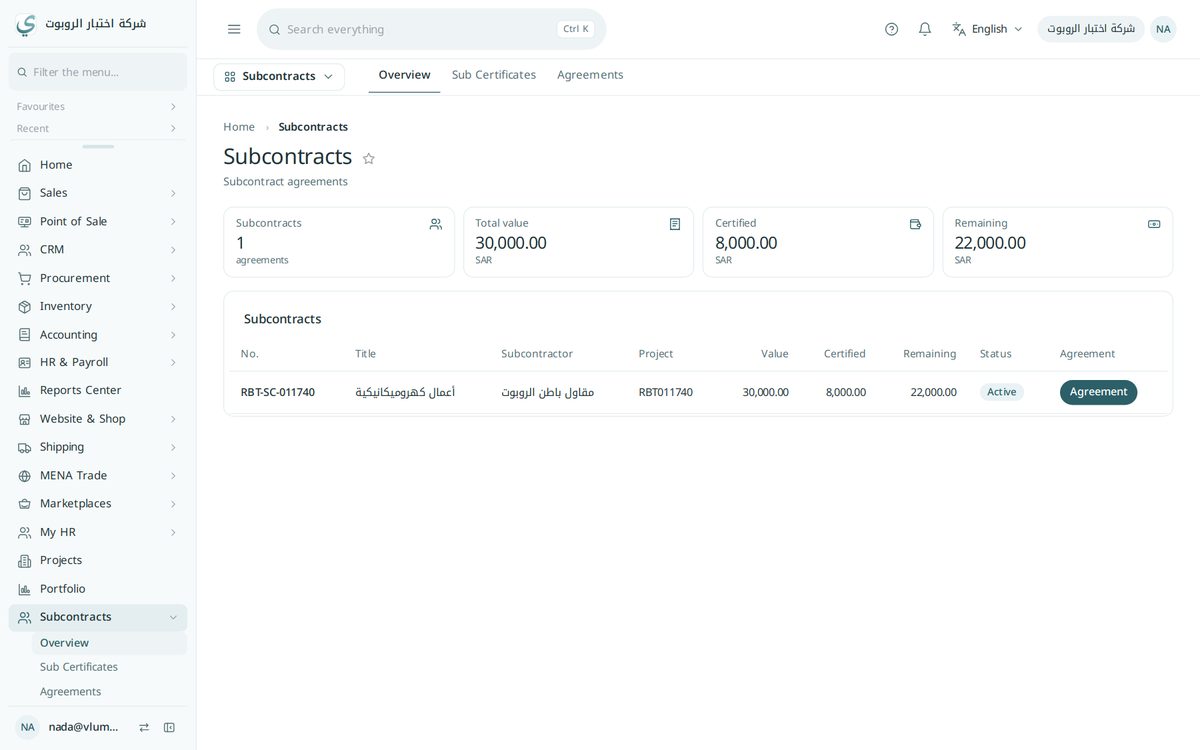
Each project’s profit from the accounts themselves
Every purchase, expense and claim on a project is posted to its cost centre, so its profit and loss come from the entries themselves.
- A cost centre for each project
- Profit and loss for each project
- From the entries themselves, no spreadsheets
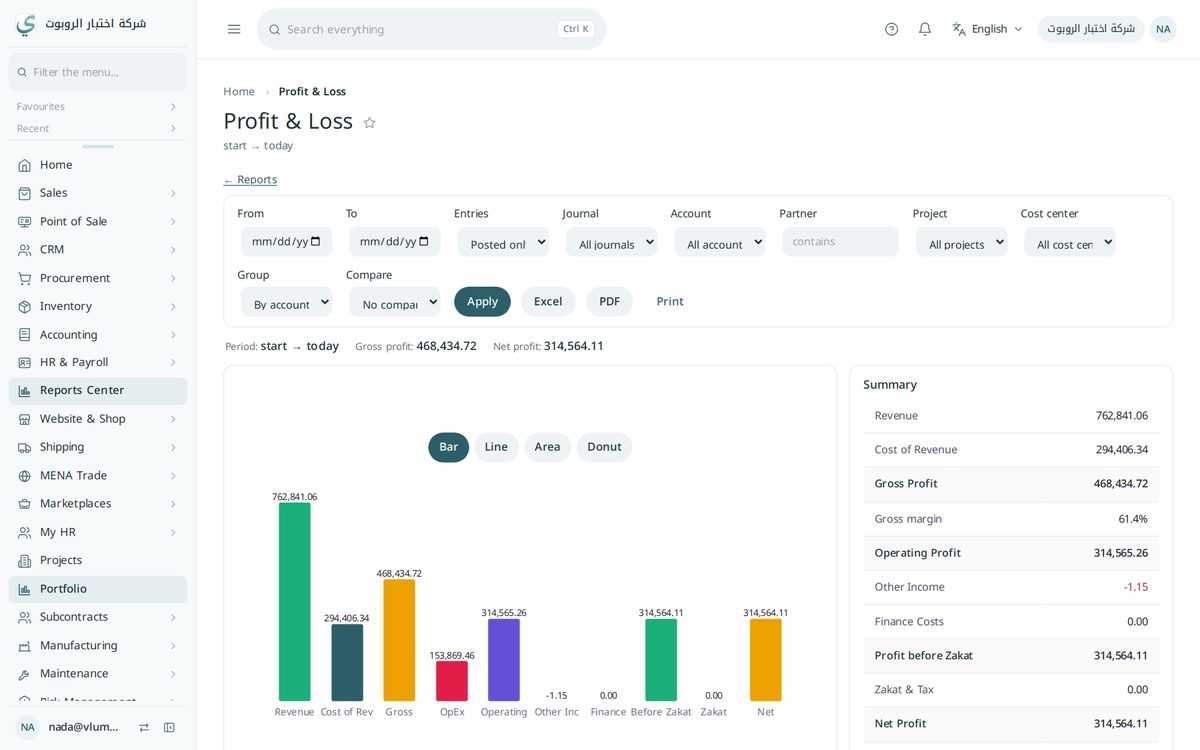
The full contracting cycle in Yaqin
From the first opportunity to the project's profit, each step builds on the one before and reaches the accounts on its own.
Win the work
- 1CRM opportunityClient, expected value and follow-up stages
- 2Tender & BOQ pricingCost per item: materials, labour, equipment, subcontract, then overhead and profit
- 3QuotationMade from the priced tender in one clickAutomatic
- 4Contract & e-signatureSigned online by the client and the company
Run the project
- 5Convert the tender to a projectThe budget and the contract BOQ are created from the tenderAutomatic
- 6Phases & tasksWeights, dates and progress for each task
- 7ExecutionPurchases, subcontractors, site materials, daily logs and change orders, all on the project's cost
Get paid & see the profit
- 8Progress certificate = tax invoiceMeasured against the BOQ, with retention, advance recovery and VATAutomatic
- 9CollectionThe receipt clears the client's balance
- 10Retention releaseAt handover and the end of the defects period
- 11Project profitRevenue, cost and margin from the same entriesAutomatic
For Saudi Energy (SE, formerly Saudi Electricity Company) contractors: work orders come from SE under the framework contract, so there is no tender or quotation per order.
- 1Work orderSE order number and execution time
- 2Site surveyThe actual quantities on site
- 3Change requestCreated automatically when quantities differAutomatic
- 4Permits & AmanatExcavation permits and SE materials received
- 5Execution & emergenciesResponse time and escalation tracked
- 6Completion & SE approval
- 7Completion certificate
- 8ExtractAt the city price list, with delay penaltiesAutomatic
- 9Tax invoiceMade from the extractAutomatic
- 10Collection
Running alongside every stage
- Risk managementRisk register, likelihood × impact matrix and HIRA safety assessmentAdd-on
- ISO, conformity & HSEISO documents, internal audits, non-conformities, corrective actions and safety incidentsAdd-on
- Equipment & maintenanceEquipment register, preventive plans, work orders, spare parts, meters and downtime (MTBF/MTTR)Add-on
Try the whole cycle in the demo account when you ask for a quote.
Want contracting in your account?
Contracting is a gold solution added to your plan. Write to us and we will show you the solution and the price.