
Point of sale: a touch till connected to stock and accounts
A touch-screen till, barcode scanner, cash and card payments, sessions and an end-of-day report. Every sale comes off stock and is posted to the accounts on its own.
The point of sale is in the Commerce and Business plans, and you can add more tills when you need them.
- Till
- Simplified invoice with QR code
- Sessions
- One stock with the store
- Tables and kitchen
- Floor design
Click any screen behind to bring it to the front.
Fast selling by touch and barcode
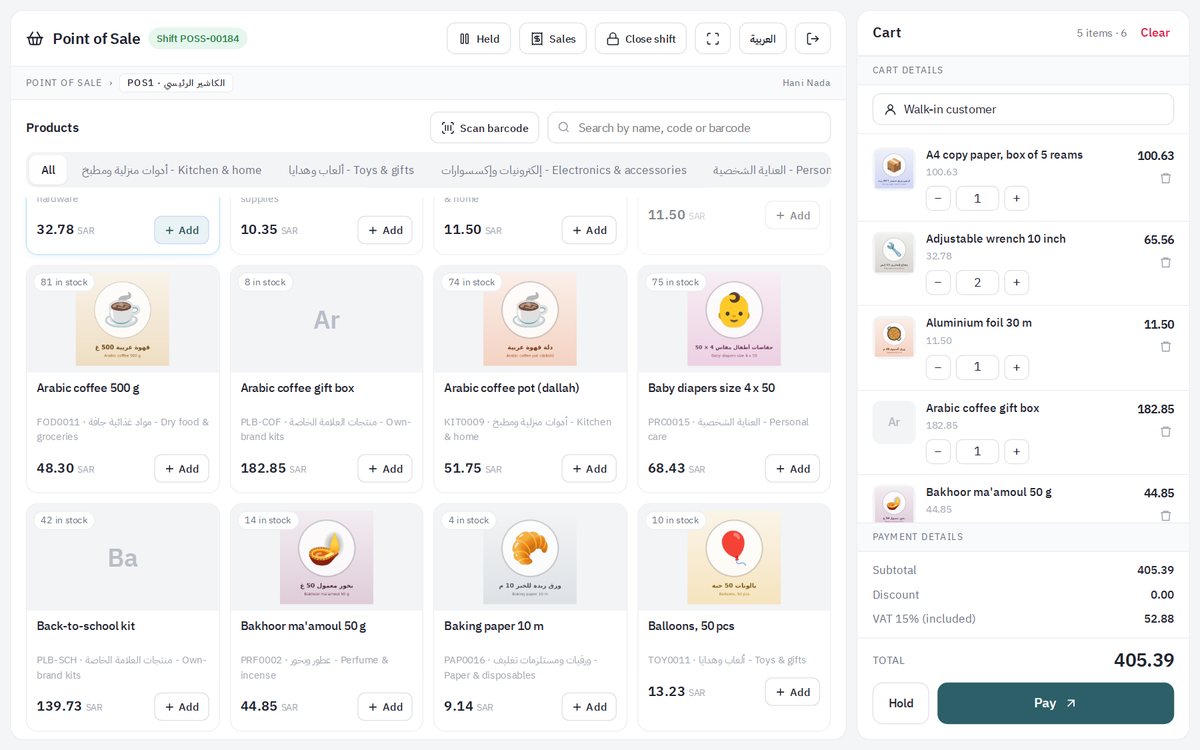
Items with pictures and categories, search and barcode, then payment in cash or by card, and the simplified invoice prints with its QR code.
- Fast touch selling with barcodes
- Cash and card payments
- Simplified invoice with QR code
- Loyalty points shared with the store
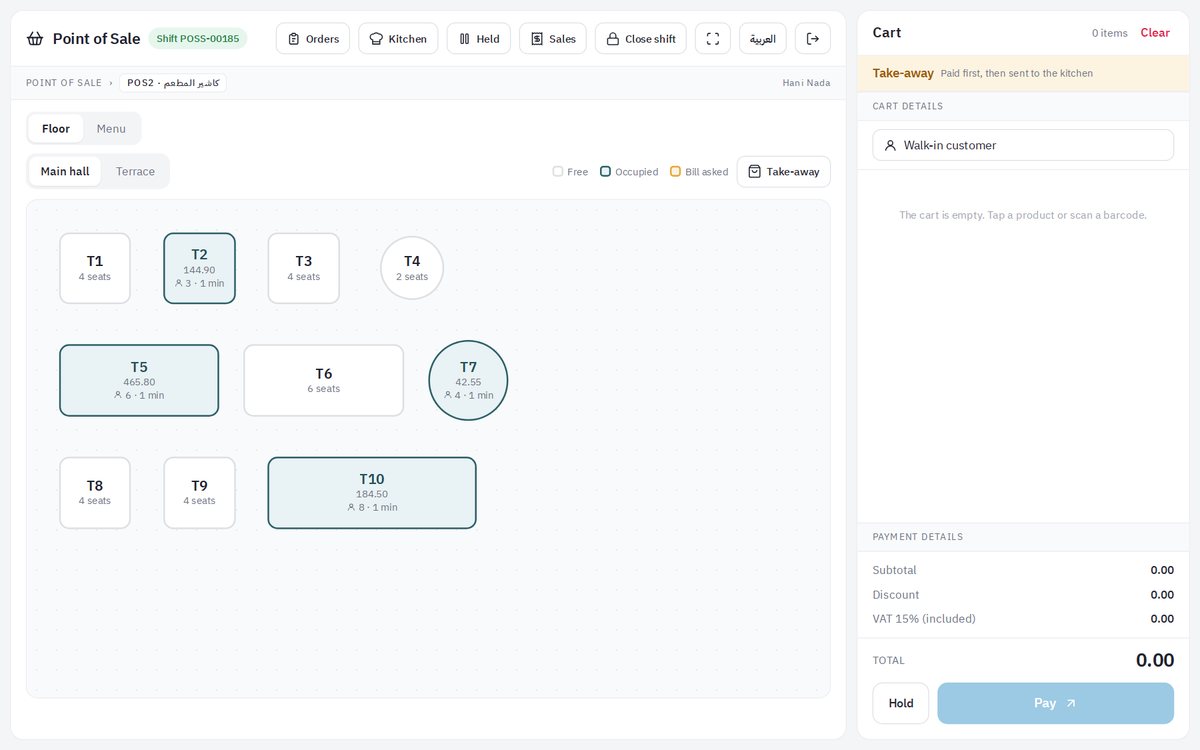
Tables on your floor plan
A table-service till: rooms and tables laid out as in your restaurant, each busy table showing its guests and amount, and the bill paid at the end.
- Rooms and tables
- Guests and amount per table
- Move a table, ask for the bill
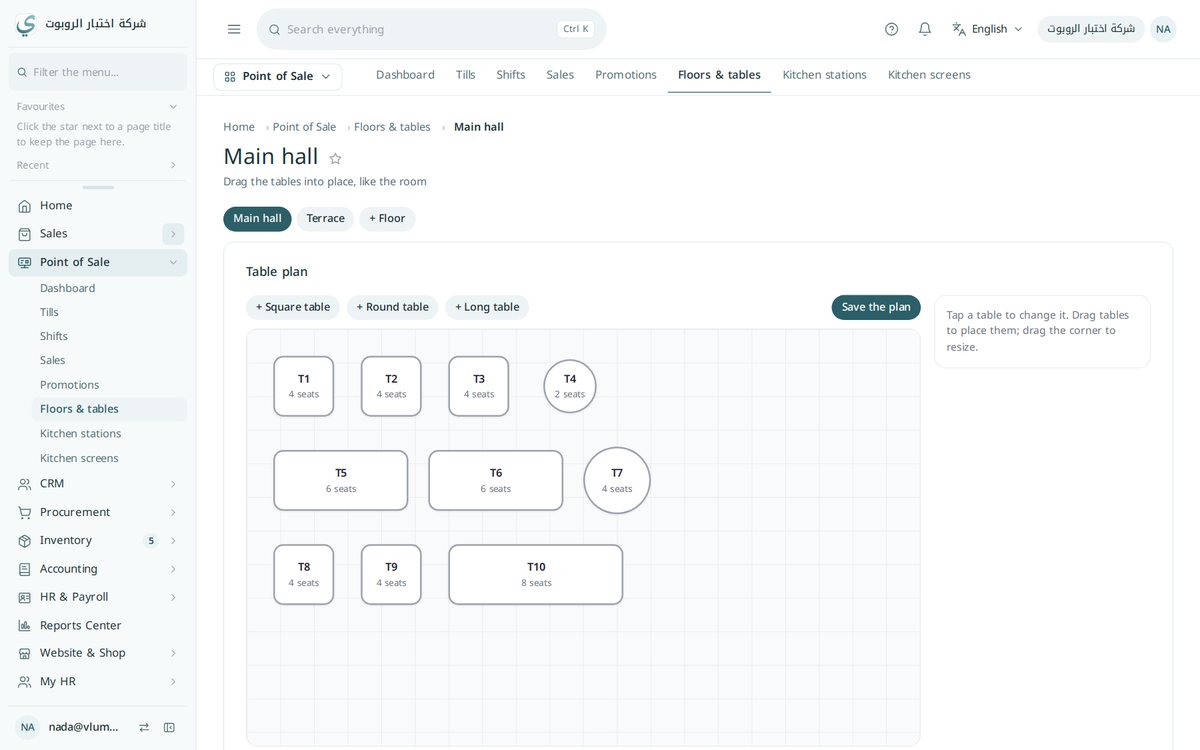
Draw your floor by drag and drop
Add square, round and long tables, drag them to where they stand in your room, and change their size and seats.
- Square, round and long tables
- Drag, drop and resize
- More than one room
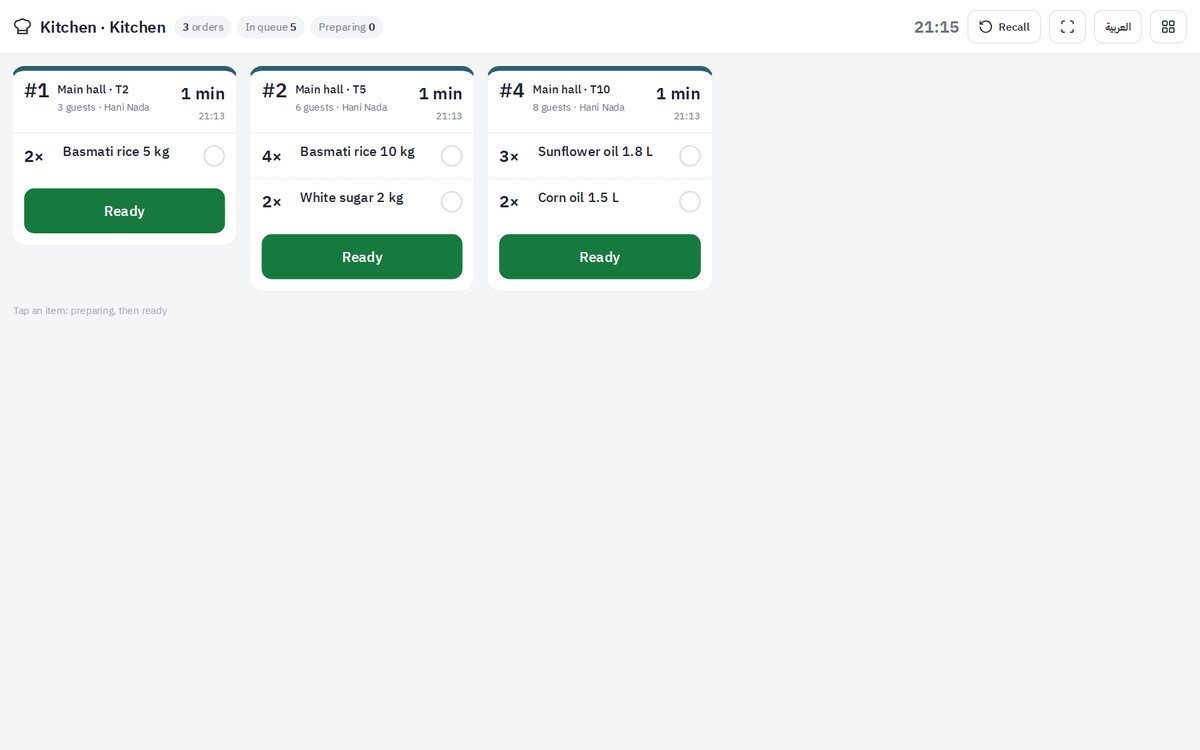
Orders reach the kitchen on their own
Each round from a table reaches the kitchen screen or the drinks bar by category, with the waiting time, and the cook taps Ready.
- A section for each station
- Waiting time for each order
- A Ready button
Every session accounted for
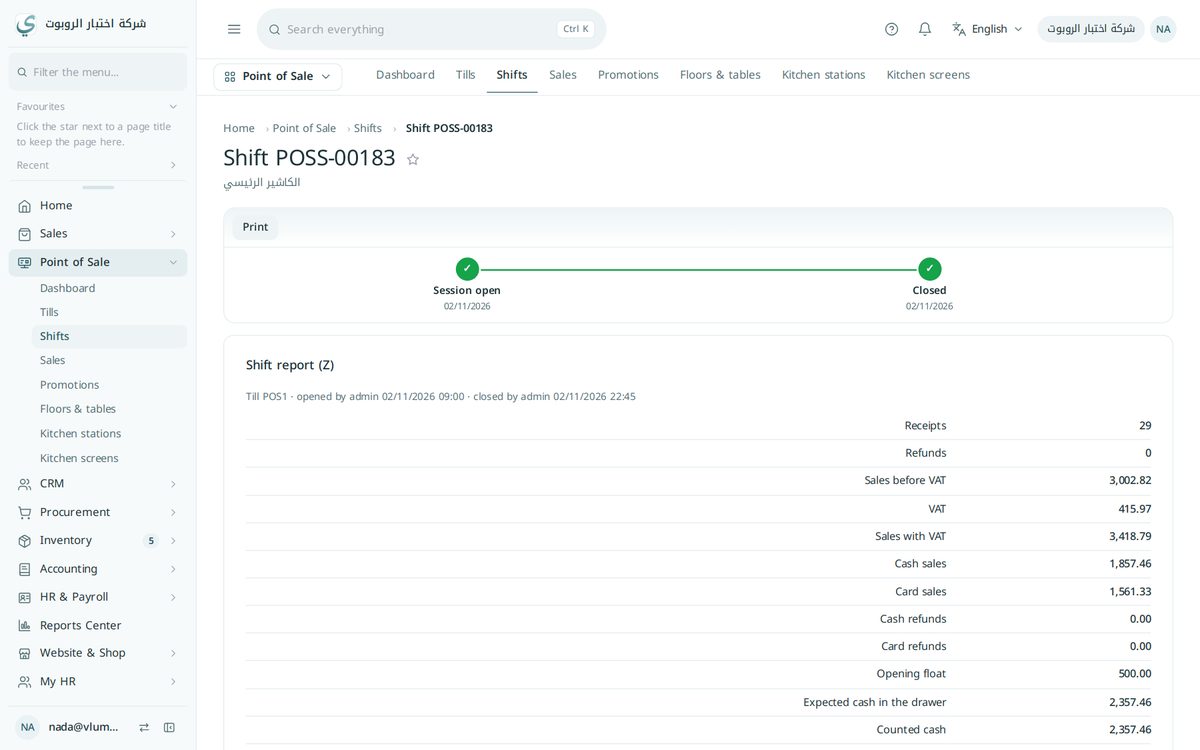
The cashier opens and closes the session, and the session report shows cash, card and any difference.
- Shifts, sessions and cash closing
- End-of-day report
- Cash and card for each session
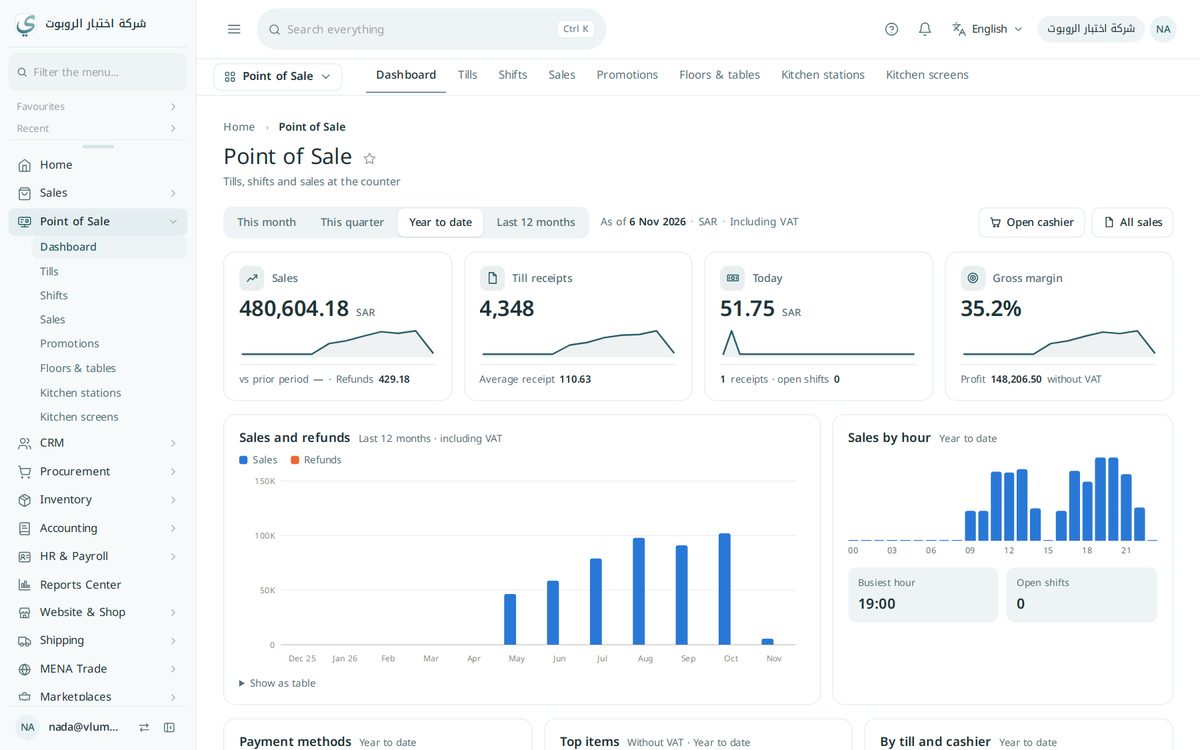
Daily sales on one dashboard
Sales, number of invoices, average ticket and best-selling items for each period.
- Sales for each period
- Average ticket
- Best sellers
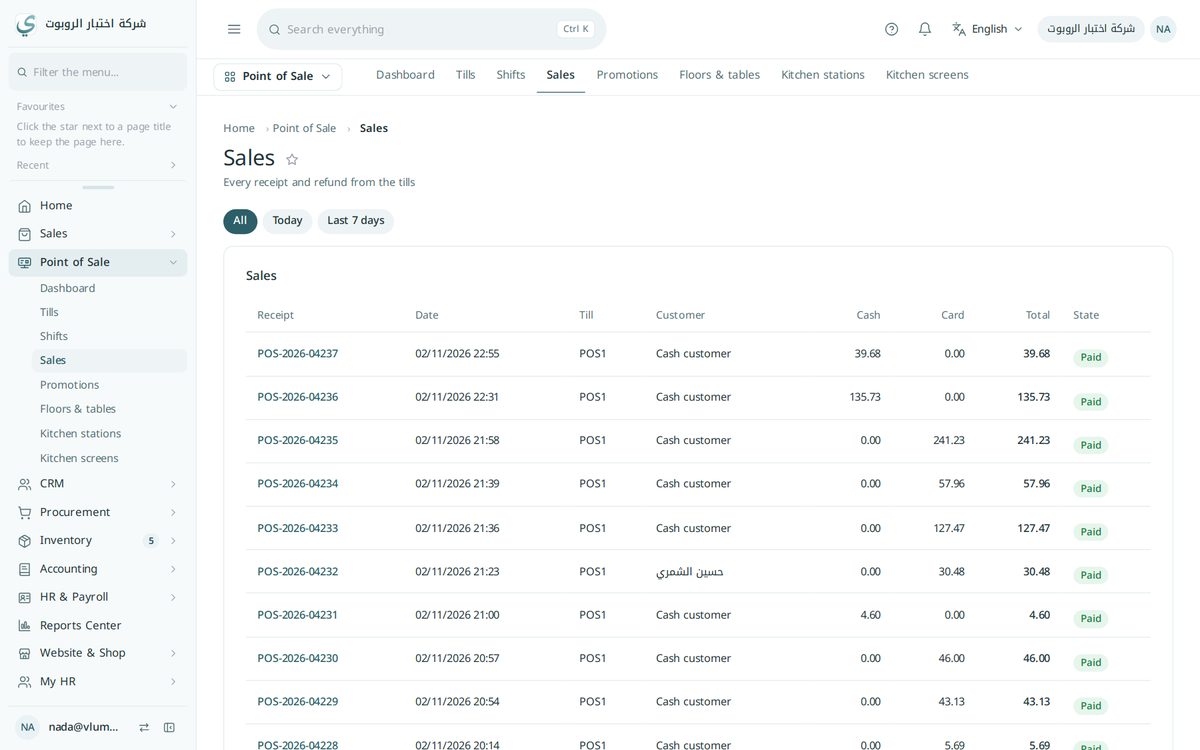
Every till invoice kept
Every point-of-sale order with its invoice and payment, reaching sales, stock and the accounts.
- Order history
- Linked to stock
- An entry in the accounts
One sale reaches everywhere
From the till to the accounts, with no re-typing.
- 1SaleBy touch or barcode
- 2PaymentCash or card
- 3Simplified invoiceWith a QR code
- 4StockQuantity goes down
- 5AccountsAutomatic entry
- 6Session closeEnd-of-day report
Try the point of sale free
The point of sale is in the Commerce and Business plans, with the online store, stock and accounts.